
Shape Up: The Ultimate Guide to Cutouts on Squarespace
Image cutouts are like earrings for your website—optional, but damn do they make a statement.
In Squarespace, you can crop images into specific shapes to give your site a little extra flair without needing Photoshop, Illustrator, or a blood pact with a graphic designer. These cutouts aren’t just pretty—they can shape how people feel about your brand (pun absolutely intended).
So, what shapes are we working with?
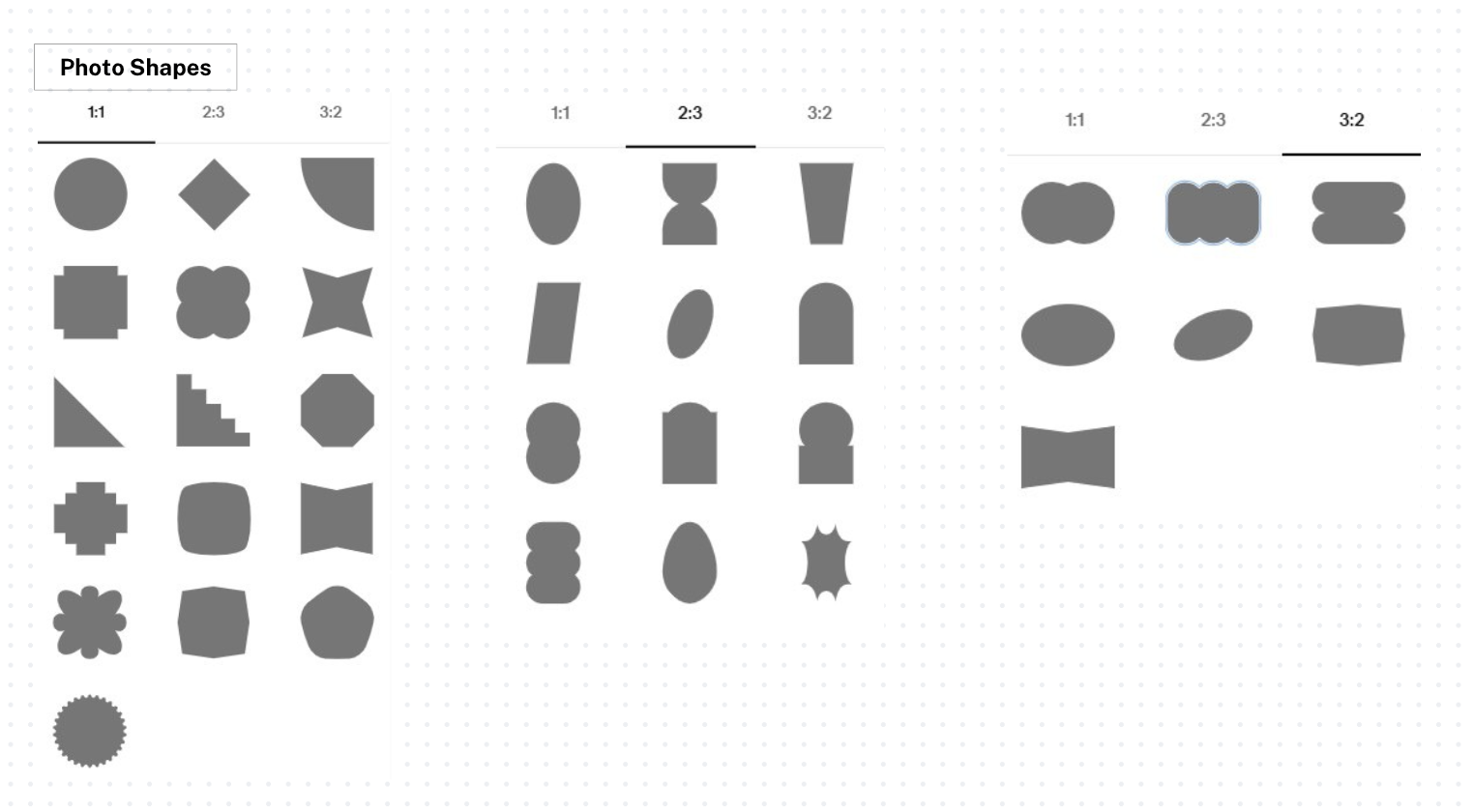
Squares, circles, diamonds—oh my. Squarespace offers a whole menu of shape options for your images, from classy to quirky. Whether you’re going for sleek and minimal or something more unexpected (yes, there’s even one that looks like a staircase), these cutouts help reinforce your brand’s personality without adding design clutter.
You’ll find both geometric staples and more abstract choices—so whether your brand is clean and corporate or playful and avant-garde, there’s something that’ll fit the vibe.
When to use ‘em?
When you want to add depth. When your layout is feeling stiff. When your brand voice says “fun but polished” instead of “corporate and crusty.” Use shapes to break up your design, highlight a key feature, or just make things look less templated.
Pro Tips:
Don’t overdo it—use shapes with intention.
Test your shape choices on mobile (stars can get…chaotic).
Match the cutout vibe with your brand voice.
Bottom line? The right shape doesn’t just look good—it says something. So cut it out (literally), get creative, and let your images show off the same badass energy your brand brings to the table.